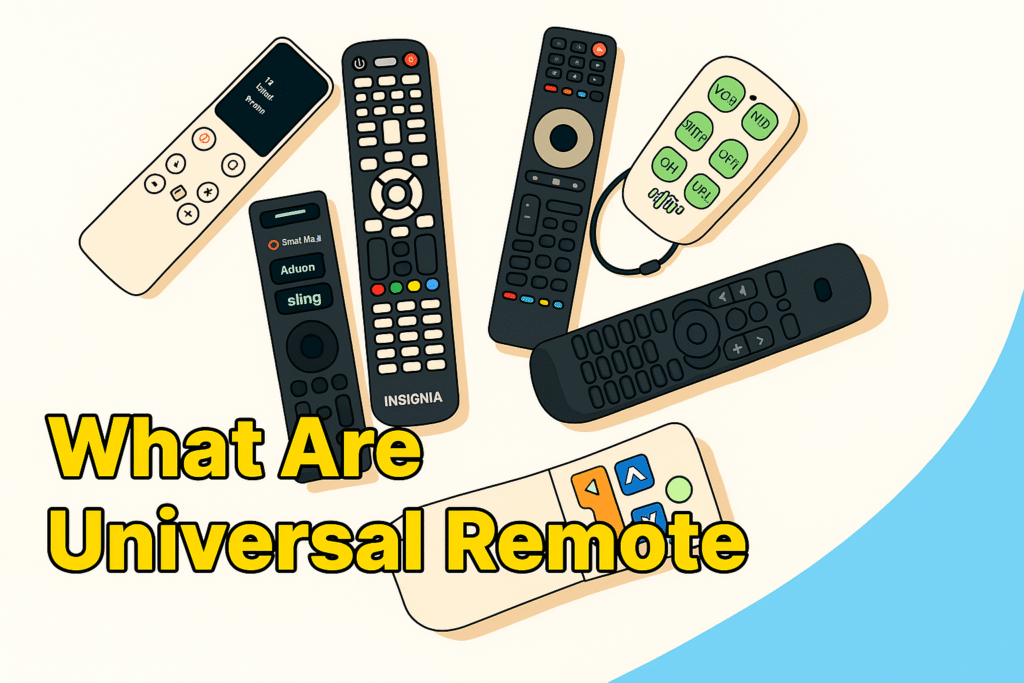
You know how messy modern living rooms can get if you’ve ever had a lot of remotes lying around—one for your TV, one for your speaker, one for your streaming box, and one for your Blu-ray player. Universal remotes have quietly revolutionized the way we consume entertainment at home by making it easier to utilize our gadgets. A universal remote is a single device that can control a variety of electrical gadgets. The universal remote will be very helpful now since most households have smart TVs, streaming sticks, gaming consoles, and sound systems. It helps you understand the complicated world of Bluetooth pairings, infrared codes, and Wi-Fi commands. Universal remotes make things easier by letting you operate more than one item with fewer button pushes. When people can’t find their TV remote or it breaks, they often look for other options online. You don’t have to buy a lot of new ones if you set up your universal remote correctly. It can change inputs, turn down the soundbar’s level, and dim the smart lights.
Universal remotes: The beginning
The history of universal remotes begins in the 1980s, when VCRs and early cable boxes were at their greatest. The original devices were simple infrared (IR) transmitters that sent signals like those from a number of remote controls. They used pre-written code lists, and programming was like opening a safe: it took a long time and a lot of trial and error. Remote technologies changed as electronics did. In the 1990s, remotes were made that taught users how to operate them. These could “record” signals from other remotes and then play them again. This feature was very important since it taught the new remote how to send the proper infrared pulse patterns. The upshot was that consumers could replace practically any remote, no matter who built it. In the 2000s and 2010s, RF (radio frequency) and Bluetooth remotes became more popular. You could control things that were concealed in cupboards or across the room with these new remotes without having to see them. Smart universal remotes like the Logitech Harmony and others let you connect Wi-Fi networks, voice assistants, and smart home systems. By 2026, universal remotes will become hybrid control hubs that connect old infrared systems to smart surroundings that are connected to the internet. You can now use your phone to operate a TV, a streaming device, and even your dad’s thermostat.
Types of Universal remotes
We need to delve within to figure out why universal remotes are so helpful.
- Infrared: Most people talk to one another in one of these ways. The first and most common technique to talk to someone who is far away is through IR (infrared). The light pulses that infrared remotes use are not visible to the human eye. Every time you press a button, it sends a different signal to the gadget you want to control. What is the major issue? For IR to work, you need to point straight at the receiver on the device.
- Radio Frequency (RF): Radio Frequency remotes convey signals by radio waves, just like Bluetooth devices and Wi-Fi routers do. Their finest characteristic is that they can work through walls and don’t need to be seen. Radio Frequency remotes are used by a lot of streaming gadgets and satellite TV systems.
- Bluetooth: A significant component is Bluetooth. Bluetooth-enabled universal remotes are already included with smart TVs and gaming systems. They help speed up matching and don’t have to be in sight. They also require less power, which is beneficial for battery-powered remote controls. 4. Integration of Wi-Fi with smart devices. New universal remotes come with Wi-Fi and sometimes specific apps for mobile devices. You may use your phone or voice assistants like Amazon Alexa, Google Assistant, or Apple HomeKit to operate your appliances.
You can use one universal remote to control all of these things. Depending on the device, it can switch between IR, RF, and Wi-Fi. This is what the interior of a universal remote looks like. It’s like a small computer that works with a universal remote. This explains how a universal remote works on the inside.
- The remote has a huge database of IR and RF codes for thousands of devices made by different companies.
- Programming Interface: You can either enter in the code yourself or use an auto-search option to get the proper one.
- Memory Storage: New remotes can save profiles for more than one device, so you can operate between 4 and 15 devices at once.
- Firmware upgrades: High-end smart remotes can acquire firmware upgrades over the air that add new device codes.
- Macros and Automation: A lot of models enable you to set up macros, which are groups of commands that run when you click a button. “Movie Mode,” for instance, might switch on your TV, dim the lights, and start Netflix. Even if you have a smart TV, you might still need a universal remote. It’s a prevalent belief that smart TVs have made universal remotes obsolete, but that’s not true. Most of the time, smart remotes that come with TVs only work properly with other gadgets from the same manufacturer. For instance, your Samsung TV remote might not operate with your LG soundbar or Apple TV. With a universal remote, you may utilize all of your gadgets at the same time. You don’t have to switch between controls anymore, and you can plan things out as you like, so one button can accomplish more than one thing. Universal remotes are also handy to have when you lose, break, or can’t find your original remote. Instead of searching for replacements that only work with certain manufacturers, you can set up a global one in a few minutes.
Common Myths About Universal Remotes
Even though they are useful, there are still some things that people think are true that aren’t:
“Setting them up is hard.” Not anymore. Most new remotes come with instructions or apps that show you how to connect them to other devices.
“They don’t support my device.” The newest versions operate with 95% of TVs, set-top boxes, and smart devices sold around the world.
“Smart remotes cost too much.” Prices have dropped a lot, and good models start at less than $30.
“They quickly drain batteries.” Most users today use chips that use less energy and features that automatically put the device to sleep to make the battery last longer.
The Universal Remote: A Smart Hub in the Future Universal remotes will be more than just extras in future, they’ll be command centers. The remote is becoming the main controller as voice assistants, IoT gadgets, and home automation grow increasingly ubiquitous. It would be so easy to alter the lights, TV, temperature, and music system all from one app or mobile device. Manufacturers are also exploring AI-driven command learning, which leverages your habits to figure out what you prefer. Your “Good Night” button might turn off the TV, close the curtains, and set an alarm.
Where do I use universal remote?
In one word, the answer is everywhere Now that we know how universal remote controls operate, let’s look at how to set them up and use them with any device. People often want to know, “Will a universal remote work with my TV or sound system?” The answer is nearly always yes, but how effectively the devices function together depends on what kind of equipment you have and how you set them up. Most universal remotes made today can work with practically any TV and entertainment system. You can probably find a way to control all of your TVs, regardless if they are Samsung, LG, Sony, TCL, Hisense, or Panasonic, or even a Roku, Fire Stick, Apple TV, or cable box.
Let’s speak about compatibility first, and then we’ll talk about the numerous methods you can connect and set up your devices.
- What you can control about device compatibility. Most universal remotes for TVs are made for TVs, which is why they function with practically all brands offered in the U.S. today. Most TVs, from older CRT models to present LCD screens, may use IR-based remotes. Some of the things they can do are: turn on and off, switch inputs (HDMI, AV, etc.), control the volume and channel, and navigate the smart menu. If you have a smart TV, you might require a universal remote that works with Bluetooth or Wi-Fi. This makes sure that you can use voice control, navigate apps, and connect to smart assistants.
- Devices for Streaming Streaming services have revolutionized how we watch TV. Roku, Amazon Fire TV Stick, Chromecast, and Apple TV all deliver signals in different ways. The good news is that these are easy for modern universal remotes to work with.
- Roku: Works with IR-based remotes for Roku Express and Premiere and Wi-Fi pairing for Roku Ultra and Roku TV.
- Amazon Fire TV Stick: You need universal remotes that can connect to Bluetooth.
- Apple TV: You can use IR or smart remotes that connect to Wi-Fi to control it.
- Chromecast: You need a remote that works with Wi-Fi or Google Assistant.
- You know how annoying it is to have to use two remotes, one for your TV and one for your soundbar. Universal remotes cover that gap. You can use the IR or enable HDMI-CEC functions on your universal remote to control soundbars made by Bose, Sony, LG, JBL, and Samsung. Set up your soundbar as a separate device on the remote and make sure the volume control is connected properly for the best results.
- Are you still using Comcast Xfinity, DirecTV, or DISH Network? If so, you need boxes for cable and satellite. Most universal remotes have code libraries for these brands. Once you set it up, you can use the same remote to control your cable box, DVR, and TV.
- Smart Devices and Gaming Consoles Not all gaming systems can be controlled from a distance, but newer universal remotes that work with Bluetooth or Wi-Fi can handle basic commands for:
- PlayStation (navigating media)
- Xbox (control of power and media)
- Smart plugs, lights, thermostats, and other smart home devices
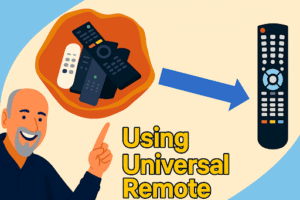
How to Set Up a Universal Remote?
Depending on its design and your preferences, you can program or pair a universal remote to a TV in three ways.
- This is the old-fashioned way to set things up, and it’s best for universal remotes that work with IR.
- Turn on your soundbar, TV, or other device.
- Get the code for your device. This is a one-of-a-kind set of numbers that tells the remote what brand it is. You can find these in the manual for your remote or in trusted online databases like RemotesInfo’s TV Remote Control Guide.
- Press and hold the “Setup” button on your remote until the LED light comes on.
- Use the number pad to enter the device code.
- Check the remote. You have successfully programmed your TV if it responds by turning off, changing volume, etc. Try again with a different code from the same brand if it doesn’t work. Some brands have more than one code.
- Method of Auto-Search Most universal remotes now have a code search or auto-search feature that lets you find codes without having to type them in. Steps are:
- Switch on your device.
- Press and hold the Setup button until the light turns on.
- Press the button on the device that goes with it (e.g., TV, DVD, AUX).
- Press the Power or Channel Up button slowly and often. o The remote will go through all of the codes it has saved in its database.
- Press Enter or OK to lock the code when the device turns off. If you don’t have a device code list, this method is the only way to get one, but it may take a few minutes.
- The Smart Pairing Method (For Bluetooth and Wi-Fi Models)
High-end universal remotes from companies like GE, Philips, and Sofabaton come with app-based setup systems that work with your phone or Wi-Fi network. Five simple steps.
- Get the mobile app from the maker. For example, the Sofabaton App, the GE Remote App, or the Phillips MyRemote.
- Make sure your smart TV or other devices are on the same network as your phone.
- Choose the brand and model of your device from the list of apps.
- The app will automatically connect your remote to the internet using Bluetooth or Wi-Fi.
- Check and save the settings. You can also give each device a new name in the app, like “Living Room TV” or “Soundbar,” to make it easier to find your way around.
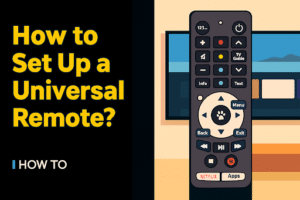
How to Make the Setup Go Smoothly: Even the best universal remote can sometimes be difficult to pair. Here are some tips from the pros to make sure you succeed:
- First, change the batteries. Batteries that aren’t strong enough can cause connections to drop or programming to fail.
- Move things out of the way. Make sure there is a clear line of sight between the remote and the sensor on your device if it uses IR.
- Be patient while you look for codes. Some brands take longer to find a working code.
- Use online code databases that have been checked. For example, you can look at a list of Samsung Universal TV Remote Codes to find the right one.
- Start over and try again. If your remote doesn’t always work the same way, hold down the Setup button for 10 to 15 seconds to reset it and then reprogram it. Connecting to Samsung TVs is a special case. Samsung remotes often use both IR and Bluetooth signals, so you need to be careful when pairing them with a universal remote.
Fixing problems during setup: If you’ve tried all the steps and the remote is still not functioning, please consider these quick solutions:
- Put the batteries back in and try pairing again.
- Make sure your device is on and in range of the signal.
- Make sure both devices are connected to the same Wi-Fi network for smart TVs.
- If the remote keeps blinking, it might be in pairing mode. Restart it and try again. The most important part of setting up a universal remote is programming the codes. To talk to your TV, sound system, or other devices, every universal remote uses a different set of codes that act like “digital languages.” It’s essential to know these codes because the remote won’t work without the right one.
Where do the codes for remotes come from? Universal remotes include a vast built-in database of IR (infrared) codes, arranged by brand and device type. The codes tell the remote how to copy the signals from your original remote, like changing the channel, turning up the volume, and selecting an input. Most of the time, your device won’t respond because:
- The code you typed in doesn’t work with your device.
- The IR signal isn’t in the right place.
- The brand of the device needs a newer code that isn’t in your remote’s manual. Most remotes let you enter codes by hand, search for brands, or search for codes automatically.
How to Get Your Device Code? Here are some ways to find the right code for your device: 1. Look at the packaging or the manual. A printed code list is included with most remotes. Brands such as GE, RCA, and Philips continue to include them.
For example, Samsung TVs often start with codes like 0105, 0019, or 0056.
- Databases on the Internet Websites that you can trust, like Remotes info and the websites of the companies that make the products or , keep lists of codes for new models.
- Search for Auto Code. Most remotes have an Auto Code Search feature that can help you find your device’s code. Press and hold the Setup button, choose the type of device you have, and let the remote scan through the codes until your TV turns off, which means it found a match.
- Learn Mode (for more advanced remotes) Some high-end remotes, like the Logitech Harmony or the Sofabaton, have a learning mode. You aim your old remote at the universal one and press a button. The universal remote “learns” that signal right away.
How to Fix Common Problems with Universal Remotes
Problems can still happen after setup. Here are some of the most common problems and how to fix them.
- Remote Not Responding
Possible reasons:
- Batteries that are dead or weak
- The IR sensor may be blocked by dust, sunlight, or other obstructions.
- Entering the wrong code
Fix:
- Put new batteries in.
- Make sure there is nothing in the way between the remote and the device.
- Type the code again or use the auto-search feature.
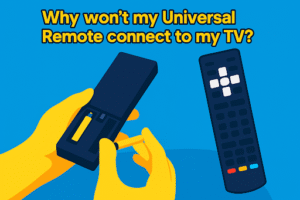
- Buttons are not working right.
If the input button doesn’t work or the volume button changes the channel, the remote may not be fully compatible with your device’s code.
Answer: Use a different code for the same brand. Depending on the model year of the TV, each manufacturer may have more than one code set.
- Sometimes remote don’t work
When the IR sensor on the TV or the LED on the remote is weak, this happens. Point the remote at your phone’s camera and press any button to see if it works. The IR emitter might be broken if you don’t see a light flashing.
- The remote loses its programming.
It doesn’t have memory retention if your remote forgets codes every time you change the batteries.
Fix: Get better batteries or get a universal remote with non-volatile memory that keeps codes even when the power goes out. Update TV firmware using remote-this will helps a lot.
Smart Integration
Universal Remotes for Connected Homes These days, universal remotes do a lot more than just control the TV. They are now the main hubs for smart homes, connecting Wi-Fi, voice assistants, and other devices.
- Wi-Fi and Bluetooth connections: Instead of infrared, new remotes use RF (radio frequency) or Bluetooth Low Energy. This enables users to manage devices concealed in cabinets or other rooms. One example is:
- The Logitech Harmony Elite connects to Wi-Fi and can control smart bulbs, thermostats, and gaming systems.
- You can use voice commands with Sofabaton X1 and Alexa or Google Assistant.
- Control through an app: Many brands now have companion mobile apps that work with their remotes over Bluetooth. You can turn on the TV without a remote. You can do the following with these apps:
- Make your own macros, like “Watch Movie” to turn on the TV and soundbar and dim the lights.
- It’s easy to manage more than one device.
- Automatically update the firmware and add support for new brands.
People who love technology like these features because they let them control everything from one place.
- AI Help and Voice Control:
Voice-enabled universal remotes are becoming more popular because of the rise of smart speakers. Use Alexa/Google Assistant with a TV remote to enable voice controls. Some examples are:
- Saying “Alexa, turn on the TV” with a remote that works with Alexa.
- Controlling devices from different devices with Google Assistant or Apple HomeKit. Universal remotes like the Sofabaton X1, BroadLink RM4 Pro, and Caavo Control Center combine AI with home automation to give users a control experience that feels almost like the future.
- Connecting to Streaming Devices:
More people will stream through Roku, Fire TV, and Apple TV in 2026. A good universal remote should work perfectly with these and let you get to Netflix, Disney+, or Hulu with just one click. If you’re having trouble connecting your Samsung TV remote to your streaming setup, refer to this detailed Modern TV remote guide for step-by-step help.
- What to Do When the Universal Remote Stops Working?
All devices have limits, even the best ones. If your universal remote stops working after you update it or change the pairing,
- Restart the connected devices.
- Please remove your universal remote and reinsert it into the companion app.
- Look for updates to the firmware. If you’re still having problems, refer to this troubleshooting post about Samsung TV remotes not working for more advanced solutions that also work for universal models.
- Advanced Customization
For power users, remotes that have macros or “activity” modes are game-changers. You can:
- Set up one button to turn on more than one device at the same time.
- To make transitions smoother, set custom delays between power commands.
- Connect third-party devices like smart lighting, projectors, and amplifiers. If you are keen to know more about the technical details and the best universal remotes on the market, take a look at the expert-reviewed list of the best universal remotes for Samsung TVs . It gives a useful overview of brands that work with Samsung TVs and their advanced features.
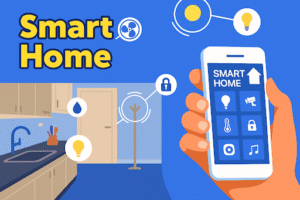
The best brands of universal remote controls
The technology behind universal remotes has changed a lot. Once, remotes could only control basic IR devices. They can now manage entire intelligent ecosystems. The following are the most well-known and trusted brands in the market, trusted by both tech fans and regular users.
- Logitech (Harmony Series) For a long time, Logitech’s Harmony series has been the standard for high-end universal remotes. Even though production officially ended in 2021, many models, such as the Harmony Elite and Harmony Companion, are still very popular because they work with so many devices.
Important Points
- Can control up to 15 devices
- Works with Alexa, Google Home, and Apple HomeKit
- Macros that are smart and based on activities, like “Watch Movie” and “Game Mode”
- A large database of devices (more than 270,000 models supported) The Harmony Hub is still thought to be one of the most advanced smart remote platforms on the market today.
- Sofabaton Sofabaton has become the brand of choice for tech fans, taking over from Logitech. Why People Love Sofabaton
- Easy setup with an app
- A mix of Bluetooth and IR connections
- OLED screen for switching between devices
- smart programming macros
- Prices that are lower than Harmony’s Two models that stand out are the Sofabaton U1 and Sofabaton X1, as they offer both Wi-Fi and Bluetooth control. This makes them ready for smart homes in the future.
- General Electric (GE) For everyday people, GE universal remotes are useful, dependable, and very cheap. They work with thousands of devices from well-known brands, so they’re ideal for people who need to replace a lost or broken TV remote without having to deal with smart integrations. Characteristics
- Easy to set up with code entry or auto-scan
- Strong build quality
- Works with most soundbars, TVs, and DVD players
- Prices start at less than $15. GE is a decent choice if you just need a new one and don’t need to pair it with an app or use voice control.
- Philips Philips universal remotes are easy to use and affordable at the same time. They are great for people who aren’t tech-savvy because they are comfortable to use and last a long time on a single charge. Unique Features
- Buttons that glow in the dark
- Learning feature: (copy functions from old remotes)
- Works with many different devices
- A clean, simple look Philips also has an updated code list that works with most major TV brands, such as LG, Sony, Samsung, and Panasonic.
- BroadLink You can’t ignore BroadLink RM4 Pro when it comes to smart automation. This isn’t just a remote; it’s a universal IR and RF smart hub. Key Strengths
- Control your phone through the BroadLink app on your phone
- It can be used with IFTTT, Google Assistant, and Alexa
- Can turn on and off fans, lights, TVs, and air conditioners all at once
- Supports setting up schedules and smart scenes BroadLink is still one of the most flexible options for controlling your whole smart home in 2026.
- One for all One For All is a popular brand around the world that makes a wide range of universal remotes, from basic TV remotes to more advanced smart remotes. Why One For All?
- Already set up for well-known brands
- Mode for learning is available
- Layouts that are sleek and can be changed
- Can work with up to 8 devices Their Smart Control 8 and URC 7935 Streamer Remote models are perfect for people who have more than one entertainment device
Experts’ Advice:
Picking the Best Remote: The best universal remote for you depends on what you need, whether you’re a casual user or a home automation fan. This is how to make a smart choice:
- If You Watch Sometimes Choose GE or Philips. They are cheap, simple to set up, and work with almost any TV or streaming box.
- If you know how to use technology, Pick either the Sofabaton X1 or the BroadLink RM4 Pro. They are new, work with smart assistants, and can set up complicated things with just one tap or voice command.
- If you have more than one device, choose one for all smart control options, such as the Logitech Harmony Elite. Their macro-based programming makes it easy to control 6 to 15 devices at once.
- If You Own a Samsung TV If you have a Samsung TV, you should look at the best universal remote for Samsung TV to see expert-tested suggestions and full lists of code compatibility.
Frequently Asked Questions
- Is it possible for one universal remote to control all devices?
Yes, a good universal remote can control TVs, soundbars, set-top boxes, Blu-ray players, and even smart home devices, as long as they can talk to each other over IR, RF, or Bluetooth.
- What if my device doesn’t respond to any code?
If your remote supports it, try the “Learning Mode” or the “Auto Code Search” method. If you have a Samsung device, you can find step-by-step instructions in the Samsung universal TV remote codes.
- How many things can one remote control at a time?
Basic models can control 3–4 devices, while advanced models like Sofabaton or Harmony can control up to 15 devices, and sometimes even more through app integrations.
- What should I do if my Samsung TV remote suddenly stops working?
If your Samsung TV remote isn’t working, check the batteries, IR sensors, and the steps to reset it on the troubleshooting page. This guide also works for universal remote models.
- Can you use universal remotes with streaming boxes like Fire TV or Roku?
Yes, many new remotes come with Roku, Fire TV, and Apple TV already set up. If your streaming box needs to communicate in a way other than IR, make sure your remote supports Bluetooth or Wi-Fi.
- Do smart home systems work with universal remotes?
Of course. Many new models work directly with Alexa, Google Assistant, and SmartThings, so you can control lights, TVs, and thermostats from one place. More advanced tips for better remote performance.
Why Universal Remotes Are Important
Smart TVs and voice control are getting better quickly, but universal remotes are still the best choice for one simple reason: they let you control everything from one place. They bring together entertainment systems, get rid of clutter, and make sure that your control method stays the same even if one brand of device changes protocols. If you know the basics of setup, compatibility, and brand selection, you won’t have any problems programming a simple GE remote or connecting a BroadLink smart hub to Alexa. If you want to learn more about different types of TV remotes, refer to TV remote guide. If you have a Samsung TV, don’t miss the complete Samsung remote setup guide for more advanced information about that brand.