
A Samsung TV remote is one of the important and most used devices that everyone has in their home. For changing channels, adjusting the TV volume, or using different kinds of features like a voice assistant, we are using the remote every day.
Remote runs on batteries; every remote needs batteries to build a connection with the TV. But after some time, the battery power will run out.
The remote response slows or stops working when the battery power runs out. By changing the remote batteries, it will start working the same way.
In this guide, we’ll explain how to change the battery on different types of Samsung remotes, including the Standard IR Remote, Samsung Smart Remote, Samsung One Remote, and even the newer SolarCell Remote. We’ll also share tips to recognize weak batteries, choose the right ones, and take care of your remote for longer use.
Types of Samsung Remotes
Samsung has made different types of remotes, so knowing which remote you are using is important. It will help to understand what kind of batteries you need.
Standard IR Remote – The basic model that uses infrared light to send signals. It usually requires AA batteries.
Samsung Smart Remote – A newer type that works with Bluetooth and has voice control. It is slimmer and usually takes AAA batteries.
Samsung One Remote – A remote that can control your TV, soundbar, and other devices together. It also uses AAA batteries.
Samsung SolarCell Remote – A newer remote that doesn’t use replaceable batteries. It charges using indoor light, sunlight, or a USB-C port.
For more details, check: different TV remotes and how they work.

If you’re not sure which remote you have, look at the back side of the remote. Most Samsung remotes have the model number printed there. You can also check by the design:
A bulky remote with many buttons is usually a Standard IR Remote. A slim design with a microphone button means it’s a Samsung Smart Remote. If your remote controls multiple devices, it’s likely the One Remote. A remote with a solar panel on the back is the SolarCell Remote.
Identifying your remote will tell you if you need AA batteries, AAA batteries, or no replacement at all (for SolarCell).
Signs Your Samsung Remote Battery is Weak
How do you know it’s time to replace the batteries? Here are common signs:
When the remote work slows or works when the remote is very close to the TV. If the button needs to be pressed multiple times. Or the buttons work slowly. The remote indicator light stops blinking when you press the remote buttons. Some of the remote buttons stop working. Also feels issue with changing the channel. The remote disconnects from your Samsung Smart TV often.
If you notice these problems, it’s almost always due to a weak battery.
If your Samsung TV remote isn’t working even after changing the battery, here’s what you can do.
Choosing the Right Batteries
Using the correct battery is important for smooth performance.
- AA Batteries – Found in most IR remotes.
- AAA Batteries – Common in Smart Remotes and One Remotes.
- Alkaline Batteries – These batteries are also recommended. These batteries serve longer than zinc-carbon ones.
- Rechargeable Batteries – Do not last as long as Alkaline Batteries, which also may need charging.
Tips: always avoid mixing old and new batteries or mixing different brands because it can affect your remote performance.

Preparing to Change the Battery
Before changing the Battery, check these quick steps:
To start work, you need a flat surface with good lighting. Wash your hands and make sure that they are dry. Have the correct AA or AAA batteries ready. Remove children’s access to the old batteries, since they can be harmful. Keep a small container to store old batteries until disposal. No special tools are needed, only your hands.
See this detailed guide from Energizer on choosing the right battery type.
How to Pair or Re-Pair After Battery Change
After insert batteries in TV remote correctly, some Samsung Smart Remotes or One Remotes may need to be paired again with the TV.
| Action | Notes |
| Point the remote at the TV | Make sure there are no obstructions. |
| Press and hold Return + Play/Pause | Hold both buttons for about 5 seconds. |
| Wait for pairing confirmation | The TV will display a “Pairing Complete” message. |
| If pairing fails, restart the TV | Try the process again after restarting. |
| Stand close to the TV | Ensures a stable Bluetooth connection. |
For a detailed pairing guide , check out our complete guide to connect a Samsung remote to a Samsung TV.
Step-by-Step: Changing Battery on Samsung Remotes
For Standard IR Samsung Remote
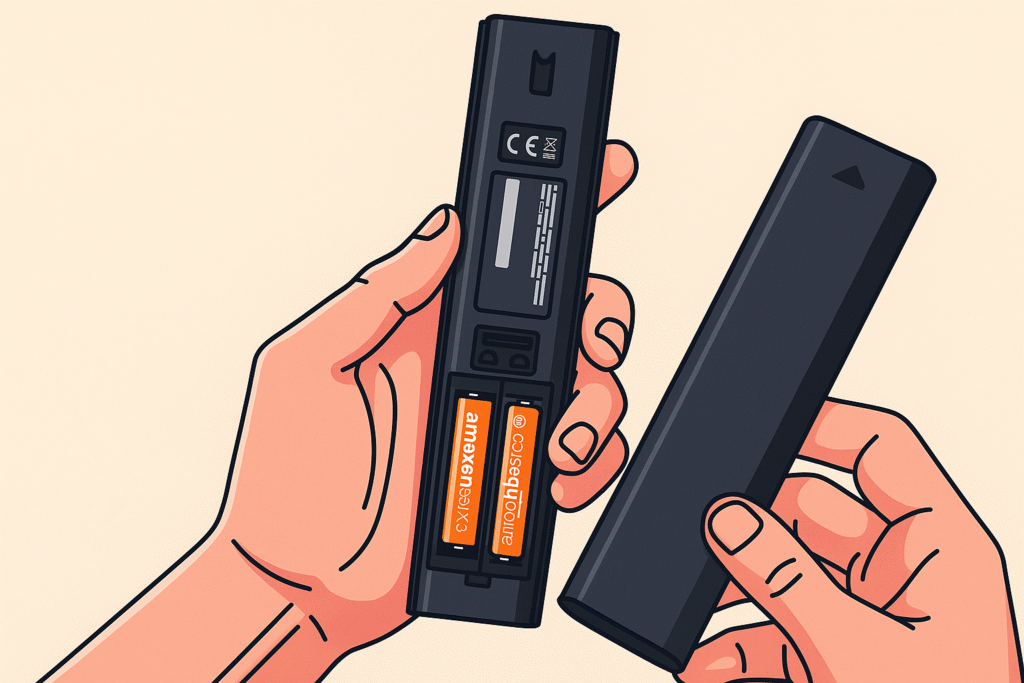
- Turn the remote upside down.
- Look for the battery cover on the back.
- Slide the cover down or press the latch to open it.
- Remove the old AA batteries.
- Insert new ones, making sure the + and – signs match the labels inside.
- Slide the cover back into place.
- Point the remote at your Samsung TV and test it.
For Samsung Smart Remote
- Flip the remote to the back.
- Find the small latch or sliding panel.
- Open it carefully.
- Remove the two AAA batteries.
- Insert new AAA batteries correctly.
- Close the cover.
- Test the remote. If it doesn’t connect, press and hold Return + Play/Pause to pair it with the TV.
For Samsung One Remote
- Hold the remote upside down.
- Slide the back cover downward.
- Take out the old AAA batteries.
- Insert new ones in the correct direction.
- Close the cover firmly.
- Test all functions, including voice control and device control.
For Samsung SolarCell Remote
The SolarCell Remote does not require regular batteries. Instead:
- Place the remote under indoor light or sunlight to charge.
- If it’s completely drained, connect it to a USB-C cable for fast charging.
- This remote is designed to avoid battery waste and is eco-friendly.
Samsung’s official SolarCell Remote product page explains the charging method.
Compatibility with Different Samsung TV Models
Over the years, Samsung released different types of TV Models. Older TVs come with a Standard IR Remote, which uses AA batteries. But new Samsung TV Models come with Smart Remotes or One Remotes; these remotes use AAA batteries. Some models work with the universal Samsung remotes. This remote can control multiple devices. Also, some remotes have advanced features like a voice assistant that can easily handle your smart TV using voice commands.
Troubleshooting After Battery Change
People see that sometimes the remote still does not respond after changing the batteries. In this situation, you can do this :
Always make sure that the batteries are inserted in the correct position. Do not use old batteries. Check that the batteries are brand new. Make sure that you are not cleaning the remote with a wet cloth; use a dry cloth. If you have a Smart Remote or One Remote, reset the remote by pressing Return + Play/Pause button. If nothing works, the issue may be with the remote’s circuit board or the TV’s sensor.
Extending Battery Life
- Always use quality batteries. Use alkaline batteries for long-lasting service.
- If you are going out for several weeks, then remove the batteries from the remote
- Always keep the remote in a cool place and avoid keeping it in a hot place.
- Do not press too many buttons at once unnecessarily.
- For Smart Remotes, limit heavy use of voice commands to save battery.
Battery Safety and Remote Maintenance
If you want long-lasting service, then Battery care is important. So, follow these TV remote maintenance tips. Always hold and press your remote gently. For cleaning, avoid using wet cloth and alcohol. Make sure that you use a dry cloth to clean the remote compartment. Avoid using cheap or counterfeit batteries because they can leak or drain quickly,
Eco-Friendly and Sustainability Angle
Samsung encourages eco-friendly use with the SolarCell Remote, which reduces the need for disposable batteries. It needs to be charged by using a USB-C cable or sunlight, which helps to reduce e-waste. For traditional remotes, don’t throw used batteries in the normal trash because they reduce harmful chemicals. Store the used batteries in a small container. Take these batteries to a local recycling center or e-waste points. Some electronics shops also accept used batteries for recycling.
When to Buy a New Remote Instead
Sometimes replacing the battery is not enough. You might need a new Samsung remote if:
The remote has been physically damaged (like after falling). If you see that the buttons are stuck or not working even with new batteries, that means the remote needs replacement. Also, check if there is internal circuit damage. You’ve tried resetting and changing batteries, but still no response, so you have to buy a new Remote.
You can buy genuine replacement remotes from Samsung or trusted electronics stores.
Conclusion
If you are replacing AA batteries in a Standard IR Remote, and for Smart or One Remote, you are using AAA batteries, it will be an easy and quick process, because changing the Samsung TV remote batteries is very simple.
For long-lasting use, taking care of your remote is necessary. Use quality batteries and avoid mixing old and new batteries. After using new batteries, if the remote is still not working, then it might be time to get a replacement.
To get a smooth and enjoyable experience on your Samsung TV, a working remote is mandatory. Taking these steps, you can keep it working whenever you need it.
Check out our complete TV remote guide.
Frequently Asked Questions (FAQs
- Which batteries are for the Samsung TV remote?
AAA alkaline batteries are used for the Samsung TV remote. Insert 2 AAA alkaline batteries to activate the remote. Make sure that you are inserting the batteries the correct way.
- What types of batteries are for the TV remote?
Most of the Samsung TV remotes use AAA batteries, but some older models use AA batteries. The Smart Remotes and One Remotes always use two AAA batteries. Samsung introduced rechargeable remotes. This remote doesn’t need batteries; it needs to be charged using USB-C or solar energy.
- What is the lasting period of batteries in a remote?
Under normal use, the batteries last 3-6 months easily.Note: If you are not using the remote for a long time, then remove the batteries from the remote to save the remote from being drained by batteries.
- How to know if a battery is AA or AAA?
To know if a battery is AA or AAA, you can visually inspect it for markings and compare its size. AA batteries are larger and thicker, while AAA batteries are smaller and slimmer, measuring approximately 50.5 mm long and 14.5 mm in diameter for AA, versus 44.5 mm long and 10.5 mm in diameter for AAA.
- What is the impact of using rechargeable batteries on the Samsung remote?
Compared to alkaline batteries, rechargeable batteries do not last that long. Rechargeable batteries are a good option, but if you want better performance, most people prefer alkaline batteries.