Your TV remote control is one of the most frequently touched devices in your home — and one of the least cleaned.
It sits on coffee tables, disappears into couch cushions, gets handled by kids, and collects dust, food particles, skin oils, and bacteria daily. Over time, this buildup can cause sticky buttons, delayed response, or even complete unresponsiveness.
At RemotesInfo, we’ve hands-on tested more than 55 different remote models —including IR, Bluetooth, and smart TV remote controls from major brands. Based on our internal workshop testing, a significant portion of “non-working” remotes were actually suffering from debris buildup or battery terminal corrosion — not electronic failure.
In this complete guide, you’ll learn how to clean tv remote, sanitize, and maintain it lasts for years.
Why Cleaning Your Remote Control Matters
A TV remote control is one of the most used electronic devices in a home. Kids, adults, and sometimes guests touch it many times every day. Because of this, dirt, oils, and germs can build up quickly. In fact, studies show that TV remotes can have more bacteria than bathroom door handles.
This buildup can make the remote dirty and unhygienic, and sticky or oily buttons may stop working properly. Over time, this can affect the remote’s performance and shorten its lifespan.
Cleaning your TV remote regularly is important because it:
- Helps keep it clean and reduces germs.
- Prevents buttons from sticking and keeps them working smoothly.
- Makes the remote last longer, saving you from buying a new one too soon.
By following a simple cleaning routine and using safe methods, you can keep your remote clean, sanitary, and working well. Small steps like wiping the surface, cleaning around buttons, and sometimes sanitizing can make a big difference for both hygiene and device performance.
How Do I Clean a TV Remote Control? (Beginner Guide)
If you have never cleaned a TV remote before, the process is much simpler than most people think. A basic cleaning routine usually takes only a few minutes and requires common household items such as a microfiber cloth, cotton swabs, and a small amount of rubbing alcohol.
The first step is always to remove the batteries from the remote. This prevents accidental electrical damage and makes the device safer to handle while cleaning. Once the batteries are removed, gently shake the remote to loosen crumbs, dust, or debris trapped between the buttons.
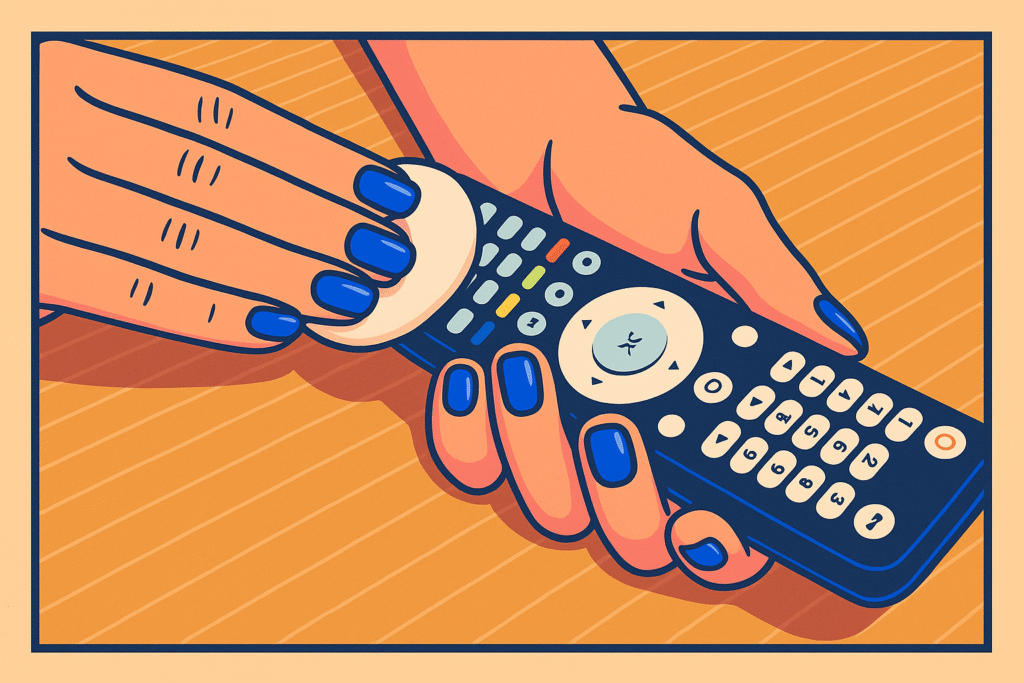
Next, wipe the entire surface using a microfiber cloth to remove fingerprints, oils, and light dust buildup. For areas around the buttons, a cotton swab slightly dampened with rubbing alcohol works well to dissolve grime without damaging the electronics.
For most households, this simple routine is enough to keep a TV remote clean and responsive. However, if the buttons feel sticky or stop responding, a deeper cleaning process may be required.
What You Need Before You Start Cleaning : The Expert’s Cleaning Toolkit
Cleaning your TV remote control doesn’t require any special tools. In fact, simple everyday items are enough to get your remote looking and functioning like new. Having the right cleaning supplies ready before you start makes the process faster, safer, and more effective.
Here’s what you’ll need:
- A microfiber cloth for wiping the surface and removing dust.
- Cotton swabs to reach small crevices around buttons.
- A small amount of rubbing alcohol or a mild soap and water solution for deep cleaning.
- Disinfectant wipes (optional) to sanitize the remote and reduce germs.
- A toothpick or small brush for loosening dirt that accumulates around buttons.
These simple items are enough to safely clean and maintain your remote without damaging it.
Safety First
Before you begin cleaning, there are a few important safety steps to follow:
- Always remove the batteries from the remote to prevent short circuits.
- Never pour liquid directly onto the TV remote control, as it can seep inside and damage electronics.
- Make sure the remote is completely dry before reinserting the batteries to avoid malfunction.
Following these precautions helps protect both your remote and yourself while cleaning.
The Expert’s Cleaning Toolkit
Before you begin, gather the correct supplies. Using the wrong chemicals can strip the labels off your buttons or melt the plastic casing.
The “Must-Have” Checklist:
-
70% Isopropyl Alcohol: The safest and most effective solvent for electronics. It evaporates quickly and kills 99.9% of germs.
-
High-Density Microfiber Cloth: To lift oils without leaving lint behind.
-
Precision Cotton Swabs (Q-tips): For detailing the gaps between buttons.
-
Wooden Toothpicks: For digging out compressed “gunk” from the seams.
-
Compressed Air: To blow out dust from the IR window and battery bay.
Step-by-Step Guide: How to Clean TV Remote
Basic Cleaning Process
Cleaning a TV remote can be simple and quick. Start by removing the batteries, then shake the remote gently to dislodge crumbs and dust. Wipe the exterior with a microfiber cloth to remove fingerprints and surface dirt. Use cotton swabs around the buttons for more thorough cleaning. Finish by drying the remote with a clean cloth.
Deep Cleaning for Sticky Buttons
If your remote has sticky or unresponsive buttons, a deeper clean is needed. Remove the back cover and shake out any trapped dirt. Use cotton swabs with rubbing alcohol to clean around and under the buttons. A toothpick or small brush can help remove stubborn crumbs. Allow the remote to dry completely before use.
Sanitizing the Remote
For added hygiene, especially during flu season, you can use a disinfectant wipe. Be careful not to saturate the remote, and wipe it again with a dry cloth to remove any moisture. Don’t forget to clean the battery compartment, as germs and dirt can accumulate there too. If cleaning doesn’t fix the issue, you may need to learn how to use a TV without a remote temporarily.
Battery Care: Preventing Terminal Damage
Dealing with Battery Leakage (Corrosion)
If you open your remote and see white, flaky powder, your batteries have leaked.
-
The Fix: Wear gloves! Use a cotton swab dipped in vinegar or lemon juice to neutralize the alkaline discharge. Scrub the metal contacts until the white crust is gone, then wipe with alcohol to finish.
Proactive Maintenance Tips
-
The 6-Month Rule: Even if they aren’t dead, replace batteries every 6–12 months to prevent leaks.
-
Storage: If you won’t be using a remote for more than a month (e.g., in a guest room), remove the batteries entirely.
-
Don’t Mix Brands: Always use two of the same brand and age to ensure even power discharge.
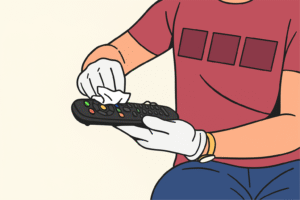
5-Step Checklist to Clean Your TV Remote
- Remove batteries.
- Shake out dust and crumbs.
- Wipe the surface with a soft cloth.
- Clean buttons using swabs or a brush.
- Let the remote dry completely before reinserting batteries.
Using these steps regularly ensures your TV remote control stays clean, hygienic, and fully functional for everyday use.
Wipe, Don’t Spray: The Safe Way to Clean Electronics
One of the biggest mistakes people make when cleaning electronics is spraying cleaning liquid directly onto the device. While it may seem convenient, this method can cause liquid to seep into the internal circuits through button gaps or seams in the casing.
Instead of spraying the remote directly, always apply the cleaning solution to a microfiber cloth or cotton swab first. This allows you to control the amount of moisture used and prevents excess liquid from entering the device.
Electronics like TV remotes are designed to handle light surface cleaning, but they are not waterproof. Even a small amount of liquid entering the circuit board can lead to short circuits or permanent damage.
By following the simple rule of “wipe, don’t spray,” you significantly reduce the risk of damaging your remote while still removing dirt, oils, and germs effectively.
How to Clean a Dirty or Sticky Remote Properly
Over time, TV remotes often become sticky due to accumulated oils from hands, food residue, and dust particles that settle between the buttons. This buildup can make buttons feel sluggish or unresponsive.
To properly clean a dirty remote, start by removing the batteries and gently tapping the remote upside down to dislodge loose debris. After that, wipe the outer surface with a microfiber cloth to remove general dirt.
For sticky areas, use a cotton swab lightly dipped in rubbing alcohol. Carefully clean around the edges of the buttons where grime usually accumulates. If hardened dirt is trapped in tight spaces, a wooden toothpick can help loosen it without scratching the plastic surface.
Once the sticky residue is removed, wipe the remote again with a dry cloth and allow it to air dry completely before reinstalling the batteries. This process restores the smooth feel of the buttons and improves the overall responsiveness of the remote.
How Long Does It Take to Clean a TV Remote?
Cleaning a TV remote usually takes far less time than most people expect. A quick surface cleaning can be completed in about two to three minutes using a microfiber cloth and a cotton swab.
If the remote requires deeper cleaning due to sticky buttons or accumulated dirt, the process may take around ten to fifteen minutes. This includes removing the batteries, cleaning around the buttons, sanitizing the surface, and allowing the device to dry completely.
In cases where battery corrosion or heavy dirt buildup is present, cleaning may take slightly longer. However, even a thorough cleaning rarely takes more than twenty minutes.
Spending a few minutes maintaining your remote regularly can prevent long-term issues and extend the device’s lifespan significantly.
How to Clean Your LED TV Remote Control Safely
LED TV remotes are similar to other modern remote controls, but they often include additional features such as voice buttons, shortcut keys, or touch-sensitive surfaces. Because of these features, it is important to clean them carefully to avoid damaging sensitive components.
Always begin by removing the batteries and wiping the remote with a dry microfiber cloth to remove dust and fingerprints. For deeper cleaning, lightly dampen a cotton swab with rubbing alcohol and clean around the buttons and edges.
If the remote includes a touchpad or voice microphone area, avoid using too much liquid in those sections. Excess moisture can affect the internal sensors and reduce responsiveness.
Regular gentle cleaning helps maintain the appearance and functionality of LED TV remotes while preventing dirt buildup that could interfere with button performance.
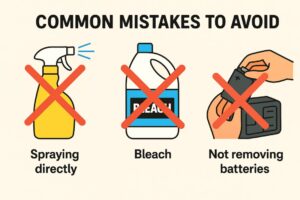
Common Mistakes to Avoid
Cleaning your TV remote control seems simple, but many people unintentionally damage it by using the wrong methods. Avoiding these mistakes can help keep your remote in good working condition for years.
Don’t spray cleaner directly on the remote: Spraying liquids straight onto the device can seep inside the buttons or battery compartment, causing short circuits or permanent damage. Always apply cleaning solutions to a microfiber cloth or cotton swab first.
Don’t clean while batteries are still inside: Leaving batteries in during cleaning can be risky. Moisture or cleaning fluids may create a short circuit, damaging the electronics. Always remove batteries before wiping or using any liquid solution.
Avoid bleach or harsh chemicals: Strong cleaning agents can damage the plastic surface and wear away the printed symbols on the buttons. Stick to mild soap, rubbing alcohol, or disinfectant wipes made for electronics.
Don’t forget to dry the remote before use: After cleaning, always ensure your remote is completely dry before reinserting the batteries. Using it while wet can cause the remote to malfunction and may damage internal circuits.
By avoiding these common mistakes, you protect both the remote control and your home electronics investment.
Image: Common Mistakes Visual spraying directly, bleach,not removing batteries
Purpose: Warn readers with visual do’s/don’ts.
How Often Should You Clean Your Remote?
The cleaning frequency depends on how often your TV remote control is used and who uses it.
- Light use: For households with minimal use, a weekly wipe-down is sufficient to remove dust and fingerprints.
- Homes with kids or pets: In busier households, clean twice a week, since dirt, food crumbs, and oils accumulate faster.
- Deep cleaning: Perform a thorough deep clean at least once a month, including removing the batteries and cleaning around the buttons and inside the crevices.
Incorporating cleaning into your routine keeps your remote control hygienic, smooth to use, and fully functional.
Frequency Guide: When to Clean?
-
Daily: A quick dry-wipe with a microfiber cloth.
-
Weekly: A sanitized wipe-down (especially during flu season).
-
Monthly: A deep detail with cotton swabs and toothpicks.
-
Bi-Annually: Battery inspection and contact cleaning.
Cleaning Different Types of Remotes
Different brands have unique designs, button layouts, and materials. Because of this, cleaning methods may vary slightly. Here are some practical tips for popular TV remote brands:
Samsung TV Remote
- Newer slim smart remotes have fewer buttons, making them easier to clean.
- If buttons stop responding, gently clean around them with a cotton swab dipped in alcohol.
LG Magic Remote
- The touchpad area is sensitive. Use only a dry microfiber cloth.
- Avoid too much liquid since it can affect the touch controls.
Sony TV Remote
- Older models have deep grooves around the buttons where dust collects easily.
- For slim modern models, focus on cleaning the power and volume buttons, which get the most use.
Hisense Remote
- Buttons are slightly harder and need careful cleaning with swabs.
- Keep away from water since these remotes are less sealed against moisture.
Xiaomi TV A Pro 65 Remote
- Flat button design makes it easier to wipe.
- Use cotton swabs with light alcohol for sticky spots.
Panasonic Remote
- Older Panasonic remotes often trap dirt around the channel change buttons.
- Clean regularly with a small brush or toothpick for better button response.
Philips TV Remote
- Philips remotes usually have many buttons, which collect dirt in between.
- A toothpick or soft brush helps clean around the small spaces.
Vizio TV Remote
- These remotes have fewer buttons and a simple design.
- A quick wipe with a microfiber cloth is often enough.
TCL TV Remote
- Many TCL remotes include shortcut buttons
- These buttons gather more oil and fingerprints, so wipe them weekly.
Roku Remote
- Roku remotes are compact, so they get dirty quickly.
- Use cotton swabs to clean around the small circular buttons.
Comparison of Cleaning Methods for Remote Controls
| Cleaning Method | Pros | Cons | Best For |
| Dry Cloth Only | Quick & safe | Doesn’t remove germs | Daily light cleaning |
| Soap + Water Solution | Gentle, removes dirt | Risk of moisture damage | General cleaning |
| Rubbing Alcohol | Disinfects, removes sticky residue | Strong smell, may fade labels | Deep cleaning sticky buttons |
| Disinfectant Wipes | Easy, kills germs | Can leave moisture behind | Fast sanitizing |
Tips for Long-Term Maintenance
Keeping your TV remote control in good condition requires more than occasional cleaning. Follow these practical steps to keep it functional, hygienic, and long-lasting:
Daily Habits
- Wash your hands before using the remote to reduce the transfer of oils, sweat, and dirt onto the buttons.
- Avoid using the remote while eating or drinking, as spills and crumbs can get trapped around the buttons or inside the battery compartment.
- Store the remote on a table or shelf, not on the floor or couch, to prevent dust, pet hair, and accidental damage.
Protective Measures
- Use a silicone sleeve or cover to protect the remote from dirt, spills, and minor drops. It also provides a better grip for daily use.
- Keep the remote away from high-moisture areas such as near sinks or beverage stations. Moisture can seep inside and cause malfunctioning buttons.
Cleaning Routine
- Light daily cleaning: Wipe the surface and buttons with a microfiber cloth to remove fingerprints and dust.
- Deep monthly cleaning: Remove the batteries and use cotton swabs with rubbing alcohol to clean around buttons and inside grooves. Ensure the remote is completely dry before reinserting batteries.
- Disinfect periodically: Use disinfectant wipes to kill germs, especially in households with children or pets. Always follow with a dry cloth to remove excess moisture.
What to Do If Your Remote Still Doesn’t Work
Even after regular cleaning, your TV remote control may sometimes stop responding. Follow these steps to troubleshoot:
1. Check for Sticky Buttons
- Dirt may be trapped deep inside the buttons or under the casing.
- Clean carefully with a cotton swab dipped in rubbing alcohol.
- Persistent unresponsive buttons may require professional support or guidance from the manufacturer.
2. Inspect the Batteries
- Replace dead or weak batteries with fresh ones.
- Clean the battery contacts with a dry cotton swab to ensure a proper connection.
- Make sure batteries are inserted correctly.
3. Contact Manufacturer Support
- If the remote still doesn’t work, visit the official manufacturer support page for troubleshooting instructions.
- Each brand has its own way to pair a new remote. Popular brands like Samsung, LG, Sony, Hisense, Xiaomi, Philips, Panasonic, Vizio, TCL, and Roku provide guides for resetting, repairing, or replacing remotes
- Following official instructions helps prevent accidental damage.
Quick Checklist for Long-Term Maintenance
✅ Wash hands before using the remote.
✅ Avoid food and drink around the remote.
✅ Store on a table or shelf.
✅ Use a protective silicone sleeve.
✅ Wipe daily with a microfiber cloth.
✅ Deep clean monthly using cotton swabs and rubbing alcohol.
✅ Disinfect periodically with wipes and dry thoroughly.
✅ Check batteries regularly and clean contacts.
✅ Consult manufacturer support if issues persist.
By following these steps and bullet points, your TV remote control will stay clean, fully functional, and hygienic for years. Regular care reduces the risk of sticky buttons, unresponsive functions, and germ accumulation, ensuring a smooth and safe viewing experience for everyone in the household.
FAQs
- How do I clean a sticky TV remote without damaging it?
Wipe the remote with a soft microfiber cloth and use a cotton swab with a little rubbing alcohol around the buttons. Don’t pour liquid directly on it. - How often should I clean my TV remote?
Wipe it once a week for light use, twice a week if kids or pets touch it, and do a deep clean once a month. - Can I use disinfectant wipes on my remote?
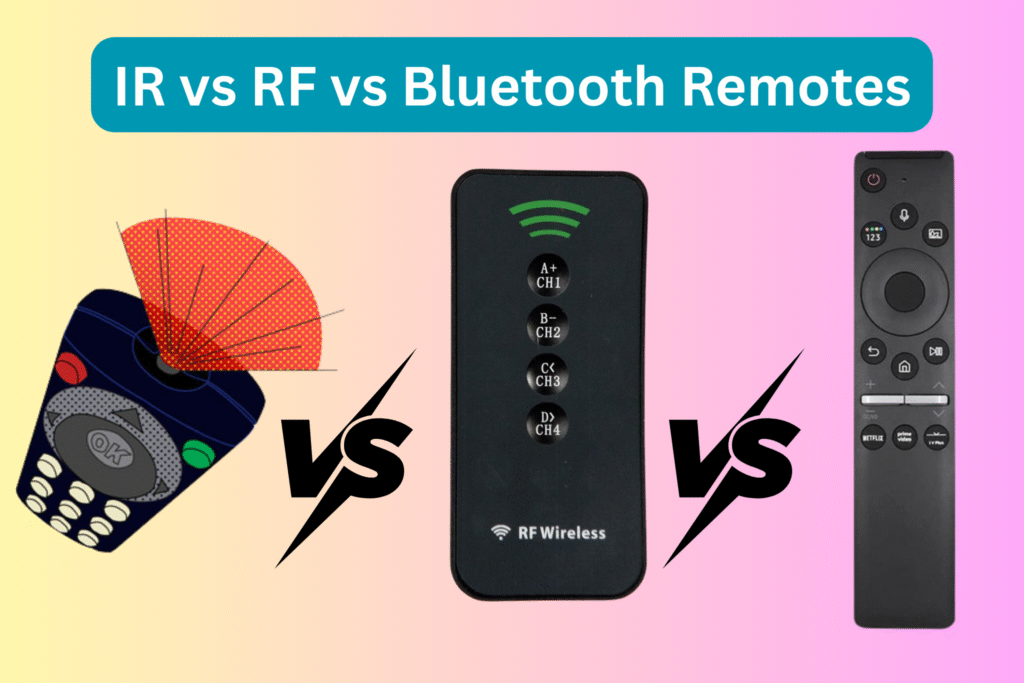
Yes, you can. Wipe gently and then use a dry cloth to remove any leftover moisture. Different types of TV remote controls (IR, Bluetooth, and smart remotes) require slightly different care methods. - How do I fix unresponsive buttons on my remote?
Clean around the buttons with a cotton swab and rubbing alcohol, check the battery contacts, and replace the batteries if needed. - What cleaning methods are safe for brands like Samsung, LG, or Sony?
- Samsung: Use a swab with alcohol on sticky buttons.
- LG: Only use a dry cloth on the touchpad.
- Sony: Clean the buttons and grooves carefully with a swab.
6.How can I keep my remote from getting dirty quickly?
Wash your hands before using it, avoid eating or drinking near it, store it on a table, and use a protective silicone sleeve.
7. When should I contact manufacturer support for my remote?
If the remote still doesn’t work after cleaning and replacing batteries, check the brand’s official support page for help or replacement tips.If your remote stops working, you might try the best universal remote for Samsung TV.