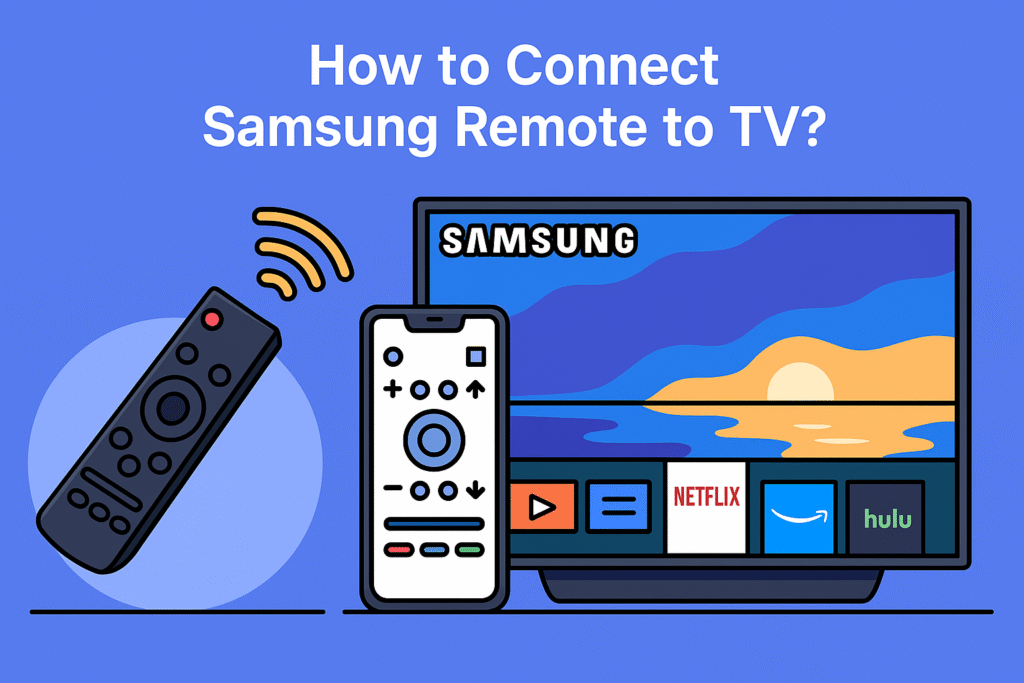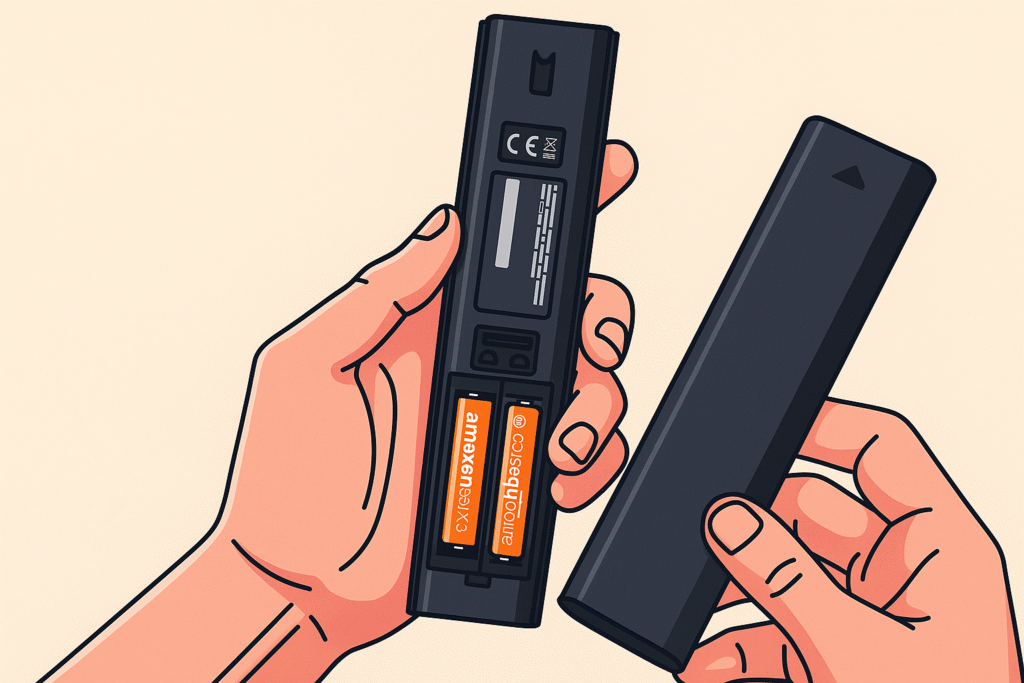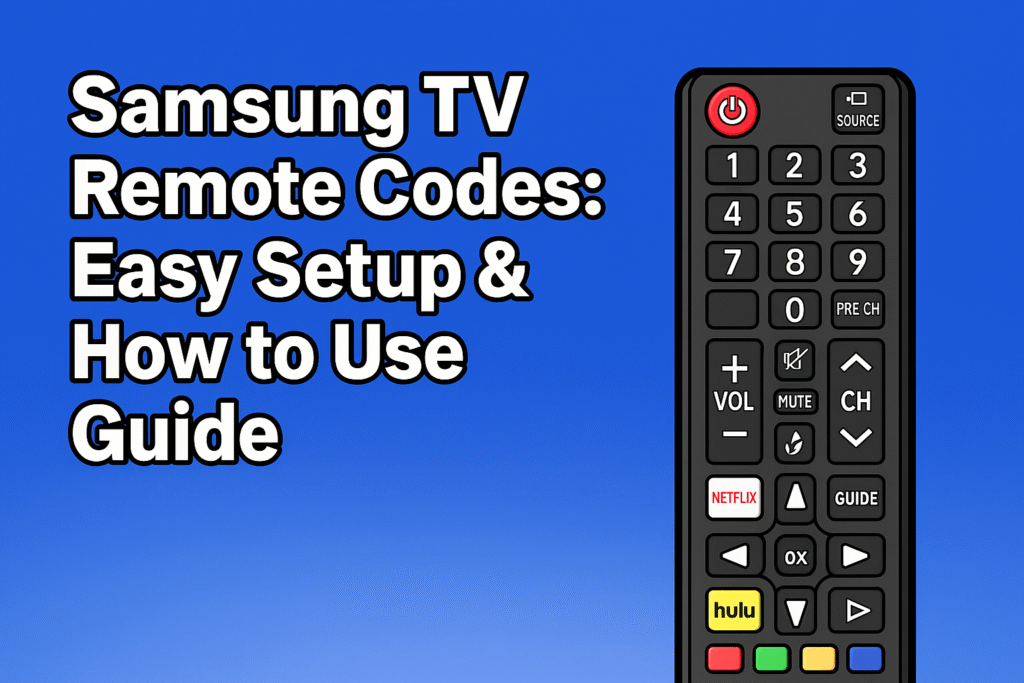
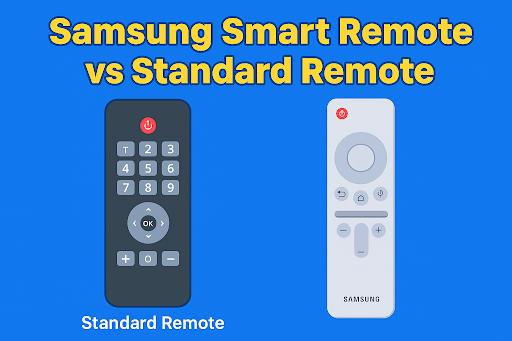
Samsung offers two main types of remotes: the Samsung Smart Remote and the Standard Remote. The Samsung Smart Remote is also known as the One Remote. Each model works differently. The Standard Remote is simple, and the Smart Remote has modern features like a voice assistant, Bluetooth, and Wi-Fi connection. Both remotes are designed to control TV channels, adjust volume, and use features like a voice assistant, but ease of use is very different.
The Samsung Smart Remote vs the Standard Remote guide will explain how they work, and this guide also helps you to decide which one is good for you.
Types of Samsung TV Remotes
Standard Remote: Uses infrared (IR), needs AAA batteries, controls most Samsung TVs
Smart Remote: Uses Bluetooth or Wi-Fi, best for newer TVs, and controls multiple devices.
SolarCell Remote: Eco-friendly, reduces battery waste, and has a slim design.
Universal Remotes – control multiple brands.
Voice-activated Remotes – hands-free use.
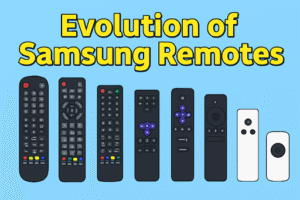
The Evolution of Samsung Remotes
Samsung remotes have changed a lot over the years. The older Samsung Remotes were large, heavy buttons, and these remotes only work with infrared (IR). But now Samsung has introduced more compact and classy designs, and has also added shortcut buttons for apps. Samsung launched Smart Remote (One Remote). This remote has smart features like voice command, and it needs a Bluetooth connection to work.
In 2021, Samsung introduced an eco-friendly remote, which is called the SolarCell Remote. This remote charges using indoor or outdoor light. This shows that remotes are not just about controlling channels, but also about sustainability and smart living.
For a deeper look at different types of remotes, you can explore our full TV Remote Controls Guide.
Different Types of Samsung TV Remotes
Over the years, Samsung has released many kinds of remotes. The first step of finding the right remote is knowing the difference between remotes.
Standard Samsung Remote
The Standard Samsung Remote is one of the common and older remotes that uses infrared (IR) technology to control the TV. This remote has many buttons, including numbers, volume, channel, and navigation keys.
- Works with most Samsung TVs, including older models.
- Requires AAA batteries.
- No voice control or smart functions.
- Affordable and simple to use.
Samsung Smart Remote (One Remote)
The Samsung Smart Remote is a newer one that comes with modern Samsung Smart TVs. This remote has minimal design with fewer buttons and uses Bluetooth or Wi-Fi connection to control the TV.
- Can control multiple devices like soundbars and set-top boxes.
- Includes voice assistant support (Bixby, Alexa, Google Assistant).
- Some models have rechargeable batteries via USB-C.
- Works best with Samsung Smart TVs
Samsung SolarCell Remote
The SolarCell Remote is one of Samsung’s newest designs.
- Runs on solar energy or indoor lighting.
- Reduces battery waste by removing the need for disposable batteries.
- Comes with many newer Samsung 4K and 8K TVs.
- Has a slim design similar to the Smart Remote, but with eco-friendly features.
Other Samsung Remote Options
Apart from Smart, Standard, and SolarCell, you may also come across:
- Universal Remotes – designed to control multiple devices.
- Voice-Activated Remotes – rely on microphones and AI assistants for hands-free use.
Check also the Samsung Remote Control Guide.
Samsung Smart Remote vs Standard Remote – Key Differences
Here’s a clear comparison of the two main types of Samsung remotes.
Comparison Table
| Feature | Standard Remote | Smart Remote (One Remote) |
| Design | Button-heavy, basic | Sleek, minimal |
| Connection | Infrared (line of sight) | Bluetooth / Wi-Fi |
| Voice Control | Not available | Available (Bixby, Alexa, Google) |
| Multi-device Control | No | Yes |
| Battery | AAA batteries | Rechargeable or AAA |
| Compatibility | Works with most Samsung TVs | Works with newer Smart TVs |
| Ease of Use | Traditionally, many buttons | Modern, fewer buttons |
If you have an older Samsung TV, the Standard Remote may be the only option. But if you use apps like Netflix, YouTube, or voice commands, the Smart Remote offers more convenience.
If you want a clear comparison, you can read our guide on the difference between a Standard and a Smart Samsung Remote.
What is a Samsung Smart Remote?
The Samsung Smart Remote is designed for modern Samsung Smart TVs, like those from 2017 and newer models. The Smart Remote has advanced features that make controlling your TV more convenient and futuristic.
Key Features of Smart Remote
- Voice Control – You can change channels, search for movies, and control smart home devices using Bixby, Alexa, or Google Assistant.
- Universal Control – You can control soundbars, set-top boxes, Blu-ray players, and streaming devices using a smart remote.
- Minimalist Design – Perfect for those who prefer simplicity, a classy look, fewer buttons, and easier navigation.
- Rechargeable/Solar Powered –The modern Smart Remotes are charged with USB-C charging or solar charging panels.
- Quick Pairing – Using Bluetooth and infrared, this remote works seamlessly.
Recommended Smart Remote
Rechargeable Voice Remote for Samsung Smart TVs (2021–2025)
The rechargeable voice remote was released between 2021 and 2025. This remote is the combination of modern convenience with eco-friendly technology.
It includes voice control, allowing you to use Alexa, Bixby, or Google Assistant for hands-free use. Needs USB charging; a single charge of this remote lasts weeks. This remote is eco-friendly and cost-saving.
Dedicated buttons for Netflix, Prime Video, and Samsung TV Plus give you quick access to streaming apps. Its ergonomic design ensures comfort while providing precise navigation for Smart Hub and other apps. Warranty protection adds reliability, giving you confidence in long-term use.
Pros
- No need to buy batteries, Rechargeable with USB-C.
- Voice assistant support for Alexa, Bixby, and Google Assistant.
- Shortcut buttons for popular streaming apps.
- Eco-friendly and long battery life per charge.
- Covered with warranty protection.
Cons
- Works only with Samsung TVs (2021–2025), not older models.
- Requires charging, unlike traditional remotes that run until batteries are replaced.
- Slightly higher price compared to basic Samsung remotes.

Solar TV Remote for Samsung Smart TV (2018–2025)
The solar TV remote was released between 2018 and 2025. This remote is an eco-friendly choice for Samsung Smart TVs. This remote recharges itself using solar energy or even indoor lights. The solar TV remote is helping reduce electronic waste while keeping your remote powered up. For modern home setups, a Slim and stylish design that matches. Lightweight and easy to handle for everyday use. A sustainable option that supports long-term cost savings.
Pros
- Solar and indoor light charging means no battery replacement.
- Works with many types of Samsung TVs.
- Design is modern, classy, and eco-friendly.
- Reduces waste of money on batteries.
- Perfect for daily use without frequent charging.
Cons
- May charge more slowly in low-light environments.
- Not compatible with Samsung TVs made before 2018.
- Slightly less durable compared to standard heavier remotes.
What is a Standard Samsung Remote?
The Standard Remote is a traditional remote that comes with many Samsung TV models, especially older or budget-friendly models. Standard Remote doesn’t have smart features like voice or universal control. This remote is budget-friendly, simple, and reliable.
Key Features of Standard Remote
- Button-based Navigation – Includes number pad, volume, channel, and menu buttons for full control.
- Affordable – budget-friendly than a smart remote.
- Long Battery Life – Uses standard AAA or AA batteries that can last for months.
- Familiar Design – Those who prefer the traditional layout, this remote is perfect.
- No Advanced Features – Doesn’t support voice assistants or universal pairing.
Recommended Standard Remote
Replacement Smart TV Remote BN59-01312A (Standard Samsung Function)
For Samsung TVs, the BN59-01312A replacement remote is simple and reliable. This remote does not need any complex pairing or setup. It uses classic infrared technology. It has a full number pad with a traditional button layout.
It feels familiar and user-friendly for those who prefer the standard design. Compatible with many Samsung TVs and no need for extra pairing setup. Classic button design with a number pad for direct channel input. Lightweight and affordable, making it a practical replacement choice. Also reliable for everyday use without needing advanced features.
Pros
- Easy to use with no pairing required.
- Includes a number pad for direct channel selection.
- Lightweight and budget-friendly.
- Works with many Samsung TV models.
- Simple and reliable design.
Cons
- Lacks modern features like voice control or app shortcuts.
- Don’t have voice control or app shortcuts.
- Requires line-of-sight since it uses infrared.
- This is not rechargeable. Powered by disposable batteries.
Samsung Original Remote Control BN59-01199F
If you prefer the original design, the BN59-01199F is an authentic Samsung remote. It can control multiple Samsung TV models. It ensures full compatibility and trusted performance, being an official Samsung product.
Genuine Samsung remote control for multiple TV models. This remote provides full compatibility without setup issues and a simple and reliable design with a classic Samsung layout. Perfect replacement for lost or damaged remotes. Lightweight and easy to handle for daily use.
Pros
- 100% original Samsung product with guaranteed compatibility.
- Reliable and durable performance.
- No setup required—works right out of the box.
- Comfortable to use with the classic Samsung button layout.
- Trusted choice for those who prefer official accessories.
Cons
- Limited to supported Samsung TV models.
- Does not include modern features like voice control or rechargeable power.
- Slightly higher cost compared to universal remotes.
Universal Remote Option
In addition to Smart and Standard remotes, there are Universal Remotes that can work with Samsung TVs and other brands. They are flexible, affordable, and reduce the need to keep multiple remotes.
The Universal Remotes can work with Samsung TVs and other brands. These remotes are flexible, affordable, and reduce the need to keep multiple remotes.
Recommended Universal Remote
Newest Universal Smart TV Remote Compatible with Samsung TVs
The newest universal smart TV remote is versatile; it works not only with Samsung TVs but also with many other popular brands. It’s useful for families with multiple devices, and it offers convenience and flexibility for everyday entertainment. Easy to set up and operate without technical difficulty.Cost-effective solution for households with different TV models.
Pros
- It can control Samsung and non-Samsung TVs.
- Do not need multiple remotes.
- Has an Easy setup and a user-friendly design.
- Affordable and widely available.
- Great option for families managing different devices.
Cons
- May not support advanced Samsung features like Smart Hub or voice control.
- Build quality can vary depending on the manufacturer.
- Requires manual programming or entering remote codes for some Samsung TVs.
Set Up and Troubleshooting for Samsung Remotes
Setting up is important when you set your Samsung remote with your TV; it works well. Start by turning on your TV and bringing the remote close for Smart and SolarCell remotes. Then press and hold the pairing button, and the TV will show a message that the remote is connected.
Universal remotes need to enter a code for your TV. If the code does not work, then check the instructions and try another code. If you follow these steps, you can enjoy your TV easily because these steps help you avoid problems. If your Samsung TV Remote is Not Working, follow these troubleshooting tips.
Accessibility Features and Maintenance
Some remotes are useful for older people or those with poor eyesight. Remotes with raised buttons, bigger buttons are easier to press the right one. Hands-free Voice command options are also very useful because you don’t need to press buttons. With these smart features, you can enjoy and control your TV comfortably.
If you want long-lasting service, then taking care of your remote is important to remove dust. For a clean and disinfectant TV remote, always use a soft and dry cloth; do not use alcohol based cleaners. For rechargeable remotes, or SolarCell batteries, charge them carefully and don’t overcharge. Keep the remote away from heat and water.
Buying Guide: Things to Consider
Before buying a Samsung remote, keep these points in mind:
- Compatibility – If the remote supports your TV model, check Compatibility.
- Power Source –Always choose between rechargeable, solar, or disposable batteries.
- Features – Decide if you want voice control, universal pairing, or just basic buttons.
- Price – Standard remotes are budget-friendly; Smart remotes cost more.
- Warranty – check Warranty. Some remotes include a warranty for extra peace of mind.
Which Remote is Better for You?
Choose a Smart Remote if: You own a modern Samsung Smart TV remote, also want voice control and eco-friendly charging, and you use multiple devices like soundbars or set-top boxes.
Choose a Standard Remote if: You prefer traditional number buttons.Also want a budget-friendly and simple remote. And you don’t need voice control.
Choose a Universal Remote if: You own multiple TVs or devices from different brands. And want one remote to control everything.
FAQs
- What is the difference between Samsung Smart remote and Standard remote?
The basic remote control is a traditional remote control that has number keys and colored function keys. The Samsung Smart Remote only works on Samsung UHD TVs. It has only the important keys and some special function keys.
- What is the point of a Samsung smart remote?
Samsung Smart TV Remote is for your connected devices. The Samsung Smart Remote brings together all your TV-connected devices and enables you to control them from one Smart Remote.
- Do Samsung Smart Remotes need batteries?
Yes, Samsung Smart Remotes need batteries to work. But some models like the SolarCell Remote have a rechargeable battery that charges using light, sunlight, or USB-C. This eco-friendly remote is a good battery replacement.
- Why are there two remotes with the Samsung TV?
Samsung often provides two remotes with its TVs for user convenience. The standard remote is simple, with number keys for basic controls. The Smart Remote, also called One Remote, connects via Bluetooth, offers voice control, and can manage multiple devices. Together, they give both traditional and advanced options.
- Can I use a universal remote with my TV?
Yes, you can. universal remote programmed to control a variety of electronic devices, such as TV, Blu-ray players, audio/video receivers, and more. The universal remote sends infrared (IR) signals to the target devices.